
Flexographic Printing: Common Quality Issues and Fixes
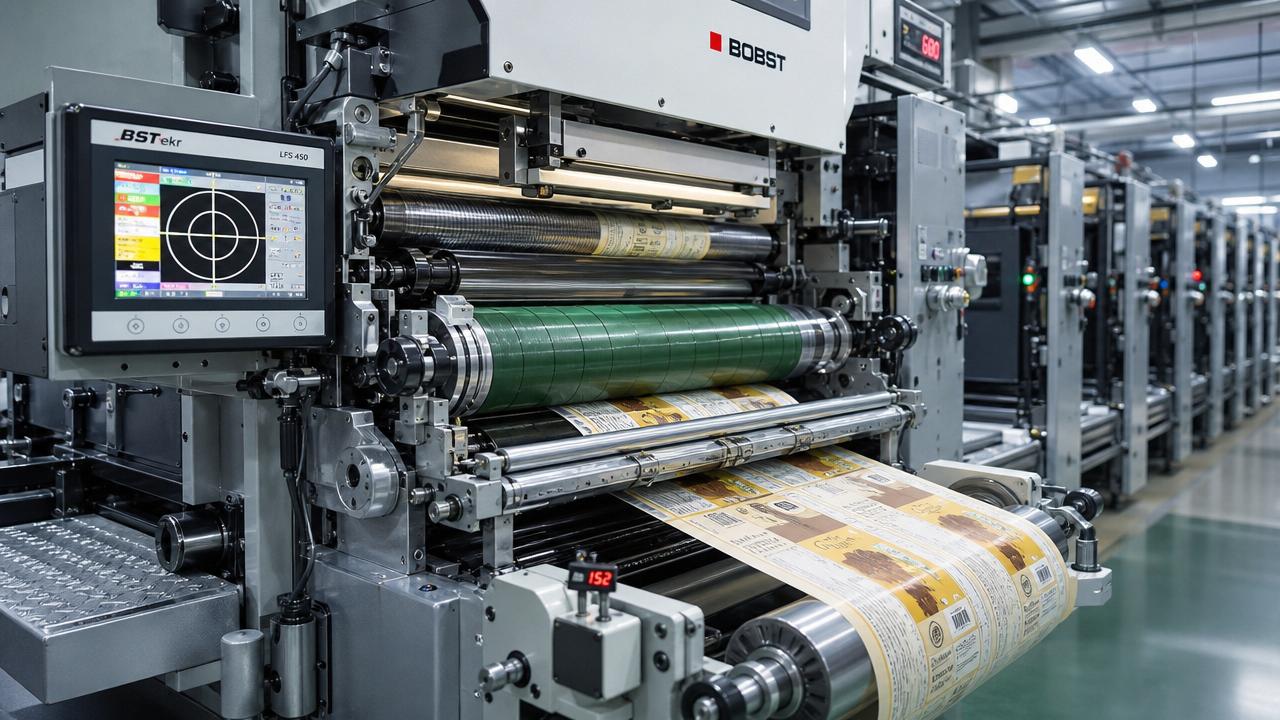
In flexographic printing, even small defects can quickly turn into costly waste, downtime, and customer complaints. For after-sales maintenance teams, identifying the root causes behind issues like dirty print, uneven ink transfer, dot gain, and registration errors is essential to keeping presses stable and output consistent. This guide outlines the most common flexographic printing quality problems and the practical fixes that help restore production efficiency fast.
Why do flexographic printing defects escalate so quickly on modern converting lines?
Flexographic printing sits at the center of many packaging workflows, especially where corrugated board, labels, flexible packaging, folding cartons, and tissue-related outer packs must move fast and stay visually consistent. A small print defect rarely stays isolated.
For after-sales maintenance personnel, the challenge is not only correcting visible print faults. The real task is tracing whether the issue starts in ink delivery, anilox condition, doctor blade pressure, plate mounting, web tension, drying balance, substrate variation, or upstream mechanical wear.
This is why flexographic printing troubleshooting demands cross-process thinking. In packaging plants linked to corrugators, folder gluers, die-cutters, and digital inspection systems, print quality is directly tied to throughput, bond performance, barcode readability, and delivery compliance.
- High line speeds reduce the margin for operator reaction and make intermittent defects harder to capture.
- Substrate variation, especially in recycled liners and lightweight papers, changes ink holdout and impression behavior.
- Packaging buyers increasingly demand cleaner graphics, tighter color repeatability, and lower waste per order.
- Maintenance teams are often asked to solve quality complaints during production, not during planned shutdowns.
IPPS tracks these interactions across digital printing, corrugated processing, post-press equipment, and automated paper-based manufacturing. That broader process view helps maintenance teams diagnose whether a flexographic printing issue is local, mechanical, fluid-related, or line-wide.
Which flexographic printing quality issues appear most often?
The table below summarizes common flexographic printing defects, the most likely causes, and the first corrective actions a maintenance technician should prioritize before changing multiple variables at once.
A disciplined troubleshooting sequence matters more than fast guesswork. In flexographic printing, changing impression, viscosity, and tension at the same time often hides the true failure point and makes repeatability worse on the next shift.
What makes dirty print a frequent service complaint?
Dirty print usually appears as unwanted ink in non-image areas, haze in highlights, or a gray cast around graphics. Maintenance teams should first separate mechanical pressure problems from chemistry problems. Excess impression and anilox contamination are often more common than ink formulation faults.
A useful rule is to inspect the plate surface, anilox cleanliness, and doctor blade condition before requesting a new ink batch. If the blade edge is nicked or the chamber seal leaks, flexographic printing quality can drift within minutes.
Why does uneven ink transfer return after temporary adjustment?
When uneven ink transfer improves briefly after a viscosity correction but soon reappears, the root problem often lies in anilox cell plugging, circulation instability, or temperature-related viscosity drift. Maintenance should verify flow behavior across the full run, not only at startup.
This is especially relevant in packaging plants with long operating hours and varied order lengths. Quick-change production increases wash-up frequency, raising the risk of residual contamination in chambers, filters, hoses, and pumps.
How should after-sales maintenance teams diagnose root causes step by step?
A reliable flexographic printing response starts with a structured inspection path. The goal is to isolate one variable at a time and avoid replacing components that are not actually responsible for the defect.
- Confirm the defect pattern: continuous, repeating, random, speed-related, or lane-specific.
- Check whether the issue affects one color station or multiple stations across the press.
- Inspect physical contact parts first: plate, sleeve, bearer surfaces, doctor blade, chamber seals, gears, bearings, and impression settings.
- Measure process variables next: ink viscosity, pH where relevant, temperature, circulation rate, drying intensity, and web tension.
- Review substrate data: caliper variation, surface energy, moisture behavior, flute profile for corrugated, and storage conditions.
- Compare defect timing with maintenance history, blade changes, cleaning cycles, and recent spare part replacement.
This method reduces downtime because it matches symptom type to process layer. For example, a repeating mark at a fixed interval often points to a rotating component, while random voids may indicate foaming, contamination, or unstable wetting.
A practical inspection checklist for fast fault isolation
The checklist below is useful for field service teams handling flexographic printing complaints on corrugated packaging and paper-based converting lines where speed and substrate variability make diagnosis more complex.
Using a checklist also improves handover between shifts and between plant teams and OEM service teams. It creates evidence. That is essential when a flexographic printing problem has multiple contributing factors rather than one obvious component failure.
Which machine conditions are most often overlooked in flexographic printing service work?
After-sales teams often receive urgent complaints framed as “ink problem” or “operator problem,” yet many recurring defects originate in mechanical drift that develops slowly over time. These faults are easy to miss because the press can still run at reduced quality.
Anilox management is not just a cleaning issue
In flexographic printing, the anilox is a precision metering tool. If cell volume falls due to plugging, wear, or chemical attack, print density and consistency change even when viscosity looks correct. Routine visual checks are not enough for critical quality work.
Maintenance teams should encourage periodic verification methods appropriate to plant practice, combined with disciplined cleaning intervals, chemical compatibility checks, and documented roller application mapping by job type.
Doctor blade pressure can create hidden instability
Too little pressure may leave excess ink on the anilox. Too much pressure increases blade wear, heat, and scoring risk. If blade loading varies across the width, the result may be streaking, density shifts, and line-side arguments about whether the substrate or ink is to blame.
Web tension is a quality variable, not only a transport variable
IPPS closely follows web tension control because it affects much more than tracking. In paper-based packaging, tension interacts with print registration, corrugated warp behavior, and downstream converting precision. A stable tension profile reduces repeated service calls.
- Check brake response and unwind consistency during acceleration and deceleration.
- Inspect rollers for contamination that changes traction or induces lateral movement.
- Review servo synchronization if registration drift appears only at higher speeds.
- Verify substrate storage because moisture variation can change stretch behavior dramatically.
How do substrate type and packaging application change the fix?
Not every flexographic printing defect should be corrected the same way. Linerboard, corrugated sheets, coated papers, flexible films, and tissue overwrap materials respond differently to pressure, ink laydown, drying, and static control.
The guide below helps maintenance teams match corrective logic to application conditions instead of applying a one-size-fits-all adjustment that may solve one defect and create another downstream.
This application-based view is valuable for mixed-product plants. A setting that works on one coated job may fail badly on recycled corrugated stock. Maintenance teams should keep service records by substrate family, not only by machine number.
What purchasing and spare-parts decisions reduce repeat flexographic printing failures?
After-sales maintenance personnel are often pulled into purchasing decisions, especially for consumables and replacement parts. Poor selection can increase complaint frequency even when machine design is sound.
Focus on repeatability, not only purchase price
When choosing doctor blades, chamber seals, sleeves, bearings, hoses, or sensors for flexographic printing equipment, the cheapest part may carry the highest operational cost if it shortens service intervals or destabilizes print quality.
- Confirm material compatibility with the ink system, wash-up chemistry, and operating temperature.
- Check dimensional consistency because small tolerance drift can affect pressure uniformity and registration.
- Review wear patterns from the previous spare part cycle before standardizing a replacement source.
- Align spare-parts strategy with planned maintenance windows to avoid emergency substitutions.
In plants serving e-commerce logistics and sustainable packaging markets, downtime can be more expensive than the part itself. This is especially true when corrugated converting, die-cutting, and folder-gluer schedules depend on stable printed stock arriving on time.
What standards, controls, and service habits improve long-term stability?
Flexographic printing quality becomes easier to sustain when maintenance, production, and quality teams use the same control logic. The exact standard set varies by market, but several general practices consistently reduce risk.
- Document baseline settings for each recurring job, including impression, viscosity range, drying values, and tension zones.
- Use controlled cleaning methods for anilox and ink circuits to avoid gradual performance loss.
- Monitor substrate storage conditions because moisture and temperature shifts can distort troubleshooting conclusions.
- Create a defect library with photos, repeat length notes, and corrective action history for faster diagnosis.
- Where applicable, align print consistency control with customer barcode, color, and packaging compliance expectations.
IPPS emphasizes this system-level discipline because printing quality is connected to the wider smart-manufacturing chain. Better data capture around flexographic printing problems supports more stable converting, lower waste, and better lifecycle equipment performance.
FAQ: common field questions from maintenance teams
How can I tell whether a flexographic printing streak comes from the blade or the anilox?
Start by checking repeatability. If the streak follows a rotational pattern and remains tied to one station, inspect the anilox surface and cell condition. If it changes after blade replacement or pressure adjustment, the blade system is more likely involved. Also inspect chamber seals and loading uniformity.
Why does registration drift only at higher press speeds?
That pattern often points to dynamic issues rather than static setup error. Common causes include unstable web tension, servo response lag, roller traction changes, bearing wear, or substrate stretch under acceleration. Review motion performance across speed ramps, not just at steady state.
Should maintenance adjust viscosity first when print density changes?
Not always. Density shifts can come from anilox plugging, doctor blade wear, circulation issues, or plate contamination. If you change viscosity too early, you may mask the real mechanical cause. Confirm transfer hardware condition before changing chemistry.
What is the most common mistake in flexographic printing troubleshooting?
The most common mistake is changing several variables at once. Maintenance teams under production pressure may alter impression, ink, drying, and tension in one cycle. That may recover output temporarily, but it destroys root-cause clarity and makes repeat defects harder to prevent.
Why choose us for flexographic printing support and process intelligence?
IPPS supports maintenance and engineering teams with a process-wide view that links printing, corrugation, post-press, and automated paper-based production. That matters when a print complaint is actually tied to substrate behavior, web handling, downstream converting stress, or broader efficiency targets.
You can contact us for practical guidance on flexographic printing fault isolation, anilox and doctor blade evaluation logic, web tension-related defect analysis, substrate-specific troubleshooting, and maintenance planning for corrugated and paper packaging lines.
We can also help you discuss parameter confirmation, spare-parts selection, service workflow planning, delivery-cycle considerations for maintenance items, packaging application matching, and technical information needed before quotation or solution comparison.
If your team is facing recurring dirty print, unstable registration, excessive waste, or hard-to-explain quality variation across shifts, reach out with your press type, substrate, defect pattern, speed range, and current maintenance observations. A more precise diagnosis starts with the right production details.
Industry Briefing
Get the top 5 industry headlines delivered to your inbox every morning.
Recommended News